Jewellery Photography Tips for Selling Online: A Complete India Guide
A buyer who can't touch your jewellery makes their decision based entirely on your photograph. Research consistently shows that product photography quality is the #1 factor in online jewellery purchase decisions — more than price, reviews, or description. For Indian jewellers selling on Instagram, Etsy, Meesho, or their own website, mastering jewellery photography is as important as mastering the craft itself. This guide covers everything from smartphone setups to professional studio techniques.
Why Jewellery Photography Is Uniquely Challenging
Jewellery is one of the hardest product categories to photograph well because:
- Small scale — tiny details must be captured crisply
- Reflective surfaces — gold, silver, and diamonds reflect everything around them, including the camera and photographer
- Transparency — diamonds, CZ, and coloured stones require light to pass through them to show their brilliance
- Texture complexity — filigree, Meenakari, Kundan, and texture work must be visible in two dimensions
- Colour accuracy — buyers make decisions based on colour; 22K gold and 18K gold look different; green in emeralds must be accurate
Equipment: What You Actually Need
Smartphone Option (Budget-Friendly)
Modern smartphones — particularly iPhone 13+ and Samsung Galaxy S21+ — produce excellent jewellery photos when used correctly. No separate camera investment needed to start.
- Use the rear camera's highest resolution setting — not the "portrait" mode (which artificially blurs backgrounds)
- Macro mode: For extreme close-ups, iPhone 13 Pro and newer have a dedicated macro lens; Android phones vary — check your model's capabilities
- Stabilisation: Use a tripod or makeshift stabiliser (stack of books) — even slight camera shake at close range blurs jewellery photos
- Manual controls: Use an app like ProCamera (iOS) or Camera FV-5 (Android) to manually set focus and exposure rather than relying on auto-focus which often locks onto the wrong element in close-up shots
Camera Option (Professional Results)
- Mirrorless or DSLR camera: Sony a6000/a6400, Canon EOS M50, or Nikon Z30 are entry-level mirrorless cameras that produce exceptional product shots
- Macro lens: Essential for jewellery photography. 60mm or 100mm macro lenses capture 1:1 or greater magnification with exceptional sharpness. Canon's 100mm f/2.8 Macro and Sony's 30mm f/3.5 Macro are popular choices
- Tripod: Mandatory for macro photography — depth of field is extremely shallow and any movement blurs the shot
Lighting: The Most Critical Element
Lighting makes or breaks jewellery photography. Most beginner mistakes come from poor lighting.
Option 1: Natural Light (Free)
- Shoot near a large north-facing window (avoids direct sun casting harsh shadows)
- Best time: overcast days when cloud diffuses sunlight (creates soft, even illumination)
- Avoid: direct sunlight (creates harsh highlights and deep shadows), windows facing east/west (changes quality rapidly as sun moves)
- Use a white foam board as a reflector on the opposite side of the window to fill in shadows
- Problem: inconsistent — weather and time of day affect it; can't shoot at night
Option 2: Lightbox / Light Tent (₹1,500–₹5,000)
A lightbox is a fabric-diffused cube with built-in LED lights. You place jewellery inside, and the diffused light eliminates harsh shadows and reduces reflections. Entry-level lightboxes (30cm × 30cm) are available on Amazon India for ₹1,500–₹3,000.
- Pros: consistent results regardless of time of day/weather; portable; removes background
- Cons: can make gold jewellery look flat (lacks dimensionality); doesn't create the sparkle that diamonds need
- Best for: silver and matte-finish pieces; documentation shots; consistent catalogue photography
Option 3: Directional Lighting Setup (₹5,000–₹20,000)
For premium results, use 2–3 controlled light sources:
- Key light: Main light at 45° angle to the jewellery — this creates dimension and reveals texture
- Fill light: Softer light on the opposite side to reduce shadows without eliminating them
- Back/rim light: Light from behind/above the jewellery to create separation from background and add sparkle to stones
- Equipment: LED panel lights with diffusers (or speedlights with softboxes); available from photography stores in India
Lighting Tricks for Specific Materials
- Diamonds and CZ: Need light to pass through them — use a light sheet placed below the jewellery, or hold a flash/LED above at a steep angle to create "fire" (rainbow colours)
- 22K yellow gold: Warm LED (3000K colour temperature) enhances the yellow tone; cool LED can make gold look greenish
- White gold / platinum: Cool white LED (5500K) maintains the bright white character
- Coloured stones: Balanced daylight-equivalent lighting (5500–6000K) maintains colour accuracy
- Meenakari enamel: Direct frontal lighting best shows enamel colours; angle lighting shows texture but may bleach colour
Backgrounds That Work
White/Off-White
The most versatile background for product photography. Shows gold colour accurately. Use: white foam board, white paper roll, or a sheet. For e-commerce sites (Meesho, Etsy), pure white backgrounds are often required.
Black
Creates dramatic, luxury contrast with gold and diamonds. White diamonds and bright gold pop against black. Use: black velvet (absorbs light, no reflections) or black foam board. Excellent for Instagram statement pieces.
Marble / Stone
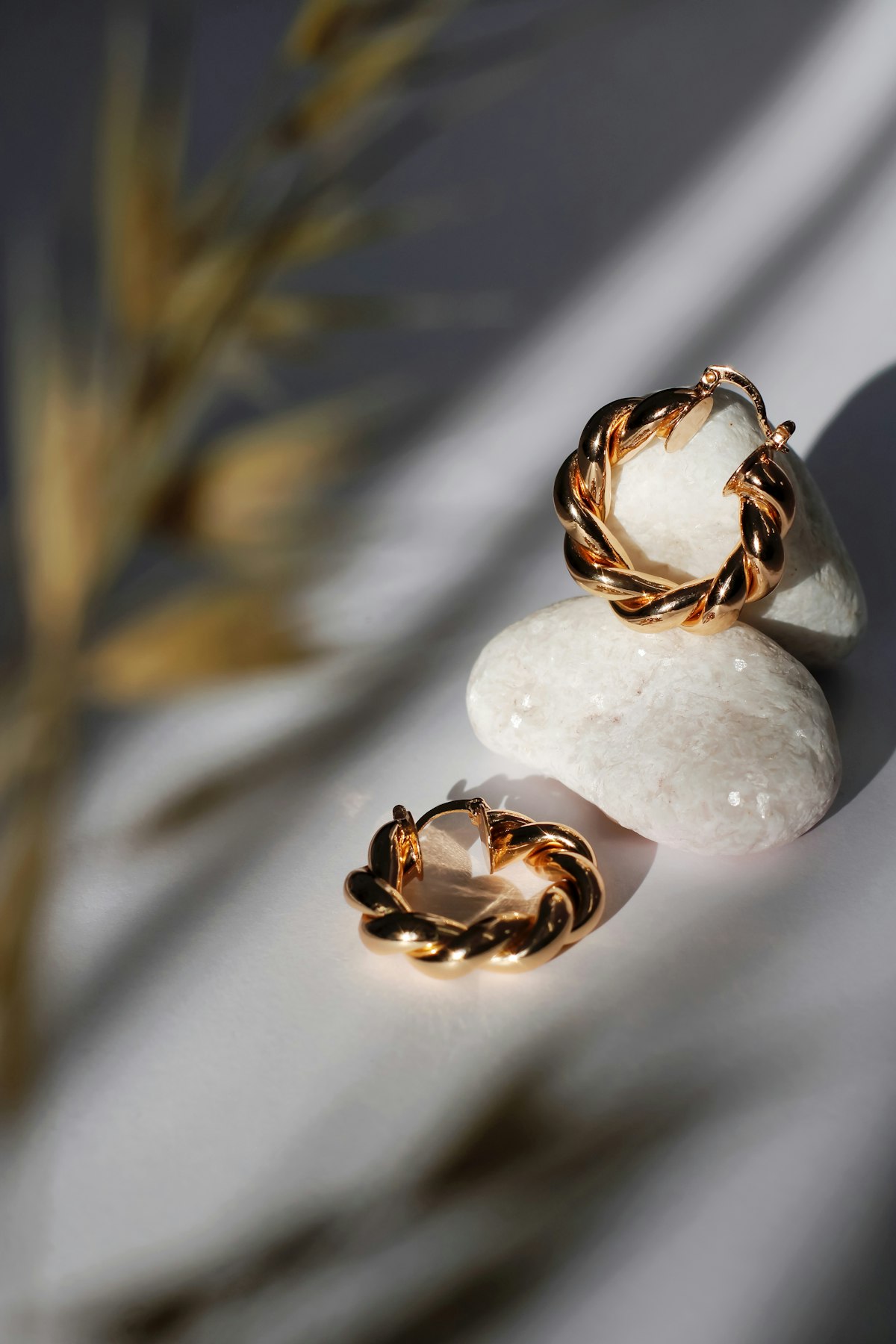
A marble background (real tile or a vinyl marble-print sheet from a craft store) is the current most popular choice for jewellery Instagram aesthetics. Creates a sense of luxury without complexity. Cost: ₹200–₹500 for a vinyl sheet or ₹400–₹800 for a small marble tile.
Fabric Textures
Velvet, silk, or linen backgrounds add texture and warmth. Indian dupatta fabric in complementary colours can create beautiful contextual shots. For traditional/ethnic jewellery, silk saree fabric as a background reinforces the cultural aesthetic.
Avoid
- Busy patterns — distracts from the jewellery
- Skin/hand photos without planning — hand-on-model shots require separate attention (nail polish, skin texture, lighting all matter significantly)
- Tablecloths with creases/wrinkles
Composition and Angles
Essential Angles for Each Piece
- Rings: 3/4 angle (showing band profile and top simultaneously), top-down flat lay, detail of the stone, and side profile
- Necklaces: Flat lay (full piece visible), side-hanging profile, detail of centrepiece, clasp detail
- Earrings: Pair flat lay, one earring detailed shot, front-on, hanging shot (hook earrings benefit from suspension)
- Bangles: Stack of multiple from above, single piece standing upright, inside of bangle detail, side view showing thickness
The 5-Shot Rule
For each product, take a minimum of 5 shots: (1) hero/overview shot; (2) front detail; (3) side/profile; (4) back (clasp, hallmark); (5) contextual/styled shot. Upload all 5 to your product listing — multiple images significantly increase conversion rates.
Editing: Post-Processing for Professional Results
Free Mobile Apps
- Snapseed (free, iOS + Android): Best free mobile photo editor. Use "Details" tool to sharpen; "Selective" to adjust brightness of specific areas; "White Balance" to ensure accurate gold colour
- Adobe Lightroom Mobile (free tier): Excellent colour correction; "Auto" button is surprisingly good for jewellery; fine-tune with "Color" panel
Editing Steps for Gold Jewellery
- Crop and straighten: Ensure the jewellery is level and centred
- White balance: Adjust until gold looks like 22K gold (warm yellow), not orange or greenish. Use "Tint" and "Temperature" sliders
- Exposure: Slightly brighter than real life (buyers respond better to bright images); don't blow out the highlights
- Clarity/Sharpness: Increase slightly to enhance texture detail in filigree and stone facets
- Remove background (optional): Use Adobe Express, Remove.bg, or Canva's background removal for pure white backgrounds
- Final check: Compare edited photo to the actual piece — colour and detail should be accurate, not misleadingly better
AI Tools for Background Removal
Remove.bg (free tier available) and Canva Pro can automatically remove backgrounds from jewellery photos in seconds. The AI has improved dramatically — most gold jewellery shots process cleanly. Useful for creating white-background e-commerce images from any background photo.
Frequently Asked Questions
Can I use my phone to photograph jewellery for professional-looking Instagram posts?
Absolutely. iPhone 13 Pro, Samsung Galaxy S22+, and similar high-end phones produce excellent jewellery photos when lighting is good. The phone camera is not your bottleneck — lighting is. Invest in a simple lightbox (₹2,000) or learn to use natural window light correctly, and your phone photos will look professional. Don't buy a camera until you've maxed out your phone's potential.
How do I photograph diamond sparkle / fire?
Diamond sparkle (fire = rainbow colours) and brilliance (white light) require point light sources — not diffused light. A direct LED light at a steep angle, or a pinpoint light reflection, creates fire. Gently moving the diamond under a fixed point light source while shooting on burst mode captures different facets reflecting. Outdoors on a bright overcast day (sun covered by thin clouds) often produces beautiful natural diamond shots.
What resolution should my product photos be?
For e-commerce platforms: minimum 1000px × 1000px; ideally 2000px × 2000px. For Instagram: minimum 1080px × 1080px (square) or 1080px × 1350px (portrait, preferred as it takes more feed space). Shoot in the highest resolution your camera/phone supports, then downsize for web use. NEVER upscale a low-resolution image — it creates visible blurring.
Do I need to use a model/hand to show jewellery?
For rings and bracelets: on-hand shots are extremely effective at showing scale and how the piece looks when worn. The model's hand should be manicured with neutral/clear nail polish (bright colours distract). For earrings: on-model shots show drape and scale better than flat lay. However, high-quality flat lay shots are sufficient for e-commerce platforms. Add on-model shots as secondary images. Note: you need the model's consent and, for commercial use, a model release.
Ready to list your jewellery online? Visit JewellersInCity to list your store and reach customers actively searching for jewellers in your area. Read our guide on selling gold jewellery online for the full picture.
More in Education
Share this article
Our editorial team comprises jewellery industry veterans, certified gemmologists, and passionate writers with decades of combined experience across India's gold, diamond, and gemstone markets. Every article is researched, fact-checked, and written to help Indian buyers make smarter, safer jewellery decisions.
Passionate about jewellery and love to write? We'd love to hear from you.
Join us as a writer →Ready to buy? Find verified jewellers near you
Browse 10,000+ BIS hallmark certified jewellers across India. Compare ratings, check today's gold rate, and book a visit.
Keep Reading